Reporting Agents
COMPILE · SUMMARISE · PREPARE
Assemble recurring reports from systems of record and draft the narrative for a person to review and send.
Permitted work
Human action
OWNER APPROVES SEND
Stacx24 designs AI agents that research, monitor, analyse, prepare and coordinate within controlled operational systems.
Every agent is given a defined responsibility, clear permissions, accountable ownership and a measurable outcome.
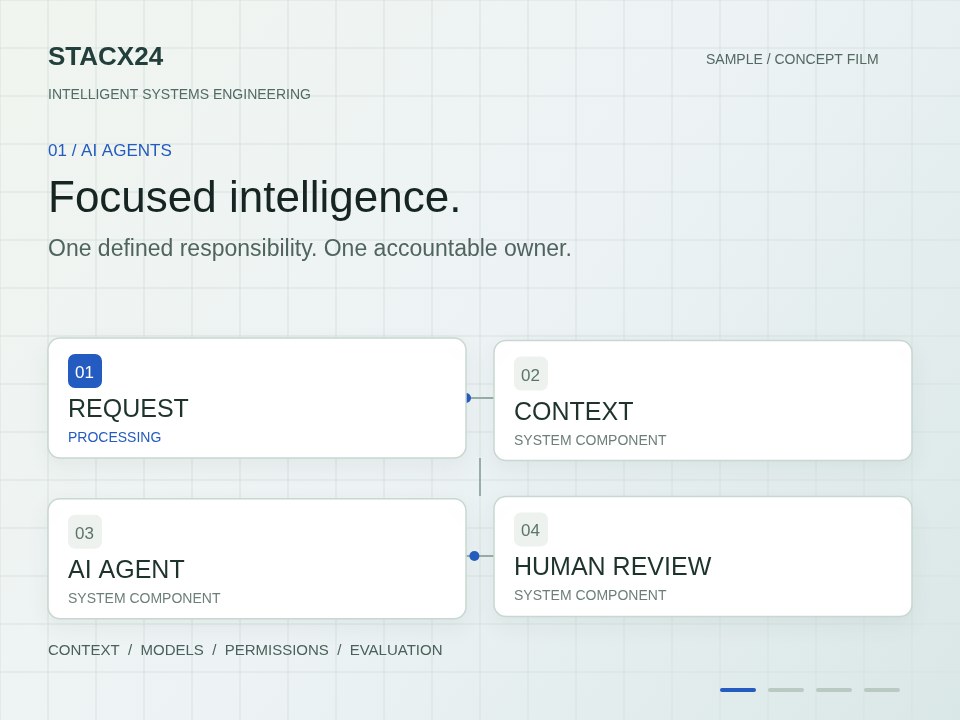
Twenty-second silent sample with on-screen text: focused AI agents; connected applications and workflow automation; sensors, edge processing and telemetry; human approval and measurable outcomes.
Video playback is unavailable. Download the sample film.
Custom AI agents, developed as bounded components of an operational system rather than as standalone assistants.
We do not build agents with broad autonomy. We build bounded intelligence: a component with one job, the information that job needs, the tools it is permitted to use, and a person who answers for it. The agent proposes. Where the consequence matters, a person decides. That boundary is what makes an agent dependable inside a real operation.
| Topic | WE AVOID | WE ENGINEER |
|---|---|---|
| Responsibility | General-purpose assistants with open-ended scope | One written responsibility per agent |
| Permissions | Agents that act without an approval boundary | Explicit read, propose and act permissions |
| Ownership | Autonomy that no single person is accountable for | A named owner who can pause the agent |
| Measurement | Outcomes that are described but never measured | One operational number the agent exists to move |
Illustrative outputs
COMPILE · SUMMARISE · PREPARE
Assemble recurring reports from systems of record and draft the narrative for a person to review and send.
Permitted work
Human action
OWNER APPROVES SEND
SEARCH · VERIFY · STRUCTURE
Research people, organisations, topics or markets against defined sources and return structured, cited findings.
Permitted work
Human action
ANALYST REVIEWS
WATCH · DETECT · ALERT
Watch feeds, telemetry or records for defined conditions and raise a classified alert to the right person.
Permitted work
Human action
OPERATOR ACTS
TRIAGE · ROUTE · COORDINATE
Triage incoming work, propose routing and coordinate handoffs between applications, vendors and people.
Permitted work
Human action
MANAGER APPROVES ACTIONS
EXTRACT · CLASSIFY · DRAFT
Extract and classify information from documents and prepare drafts, with every field traceable to its source.
Permitted work
Human action
REVIEWER CONFIRMS
ANALYSE · COMPARE · EXPLAIN
Analyse patterns across coverage, portfolios or telemetry and explain what changed, for a person to decide on.
Permitted work
Human action
LEAD DECIDES
An agent never runs on its own. It is triggered by an operational event, given business context, limited to specific tools and data, evaluated before its output is used, approved by a person where it matters, and monitored after it acts.
Reasons within its written responsibility.
The owner approves, edits or rejects.
An event, schedule or request starts the run.
Records, policies and history the job needs.
Only the integrations it is permitted to call.
Output checked against rules and thresholds.
The approved change is made and logged.
Accuracy, exceptions, cost and drift observed.
Responsibility, permission, ownership, evaluation and outcomes — connected by a loop that finds and corrects gaps.
One sentence that says what the agent does and what it does not.
Example"CLASSIFY INBOUND COVERAGE FOR CLIENT X."
What it may read, what it may propose, what it may do, and with whose approval.
ExampleREAD: CRM, MEDIA DB · PROPOSE: TAGS · ACT: NONE
A named person who approves its output, reviews its record and can pause it.
ExampleOWNER: ACCOUNT LEAD · PAUSE: ONE CLICK
A test set, a threshold and a review cadence for accuracy, exceptions and drift.
ExampleTEST SET: 200 · REVIEW: WEEKLY
The one operational number the agent exists to move, with its baseline.
ExampleMETRIC: HOURS TO CLIENT REPORT
Finds and corrects gaps or errors, then returns to Responsibility.
ExampleFIND GAPS · CORRECT · REPEAT
Corrections stay within permissions. Human approval applies where required.
The boundary is drawn before the agent is built. The AI lane covers reading, analysing, preparing and proposing. The human lane belongs to a named person: deciding, sending, changing and escalating.
READS · ANALYSES · PREPARES · PROPOSES
New coverage detected
Client brief, past tags
Classifies, drafts summary
PROPOSED · CONFIDENCE 0.91
Passed rules · flagged 1 exception
DECIDES · SENDS · CHANGES · ESCALATES
Account lead reviews and approves
Example decisionEDITS 1 TAG · APPROVES
Added to client report
Sensitive topic → escalated to director
Decision logged · feeds evaluation
THE AGENT NEVER SENDS, PUBLISHES OR CHANGES A RECORD ON ITS OWN
THE BOUNDARY IS A CONTRACT, NOT A SETTING
Every run, input, proposal and decision is recorded and reviewable.
Scoped credentials per agent. Nothing inherits broad access.
Test sets and thresholds run before release and on a schedule.
Low confidence, timeouts and failures route to a person, never to silence.
Accuracy, exception rate and drift visible to the owner at all times.
Model, tool and integration cost per run and per outcome, reported monthly.
We engineer the right combination.
A research document starts the work. The original stays available throughout.
Existing records, source details and the approved label list give the document context.
Software checks for duplicates and missing information before any AI suggestion.
AI proposes a label from the approved list. It cannot publish the label itself.
The researcher reads the supporting passage and approves or corrects the suggestion.
Only the approved label enters the record, alongside its source.
The system records the suggestion, the review and the saved result so the team can inspect them.
The team reviews corrections and agrees changes to the guidance before the next document.
A research document starts the work. The original stays available throughout.
Existing records, source details and the approved label list give the document context.
Software checks for duplicates and missing information before any AI suggestion.
AI proposes a label from the approved list. It cannot publish the label itself.
The researcher reads the supporting passage and approves or corrects the suggestion.
Only the approved label enters the record, alongside its source.
The system records the suggestion, the review and the saved result so the team can inspect them.
The team reviews corrections and agrees changes to the guidance before the next document.
An incoming request starts a handoff between the tools your team already uses.
The system brings together the request, existing records and its responsible owner.
Defined rules check the request and pass its details between connected applications.
This example needs no AI decision. Defined rules identify an exception and send it to its owner.
A named person supplies the missing detail and confirms that the work can continue.
The confirmed information reaches the next application and the work continues.
The system records completion and exceptions so the team can see what happened.
The team reviews repeated exceptions and approves rule changes for future requests.
An incoming request starts a handoff between the tools your team already uses.
The system brings together the request, existing records and its responsible owner.
Defined rules check the request and pass its details between connected applications.
This example needs no AI decision. Defined rules identify an exception and send it to its owner.
A named person supplies the missing detail and confirms that the work can continue.
The confirmed information reaches the next application and the work continues.
The system records completion and exceptions so the team can see what happened.
The team reviews repeated exceptions and approves rule changes for future requests.
A new field reading starts the cycle, connecting conditions on the ground to the system.
Field history and recent conditions help the team interpret the new reading.
Local edge checks validate readings before relevant information reaches the monitoring application.
The system uses the checked information to propose a response within its defined scope.
The agronomist checks the proposal and approves or adjusts it before it reaches the operator.
The approved proposal reaches the operator with the instructions they need.
New readings and operator reports help the team understand what happened next.
The agronomist reviews the observations and agrees guidance for the next cycle.
A new field reading starts the cycle, connecting conditions on the ground to the system.
Field history and recent conditions help the team interpret the new reading.
Local edge checks validate readings before relevant information reaches the monitoring application.
The system uses the checked information to propose a response within its defined scope.
The agronomist checks the proposal and approves or adjusts it before it reaches the operator.
The approved proposal reaches the operator with the instructions they need.
New readings and operator reports help the team understand what happened next.
The agronomist reviews the observations and agrees guidance for the next cycle.
Something happens in the operation.
Records, history and state are attached.
Rules, software and integrations do the deterministic work.
One bounded AI component, where judgement can be modelled.
A named person decides where it matters.
Something changes in the world.
Telemetry and monitoring record what happened.
The loop feeds back into the next event.
Research data pipelines with an AI classification agent proposing labels inside a defined scope, and structured review by the research team before anything enters the record.
We use three necessary cookies and, only with your consent, one analytics cookie. No advertising, no tracking. Cookie policy.